Build your Organization

Organization Creation Guide

Step 1:

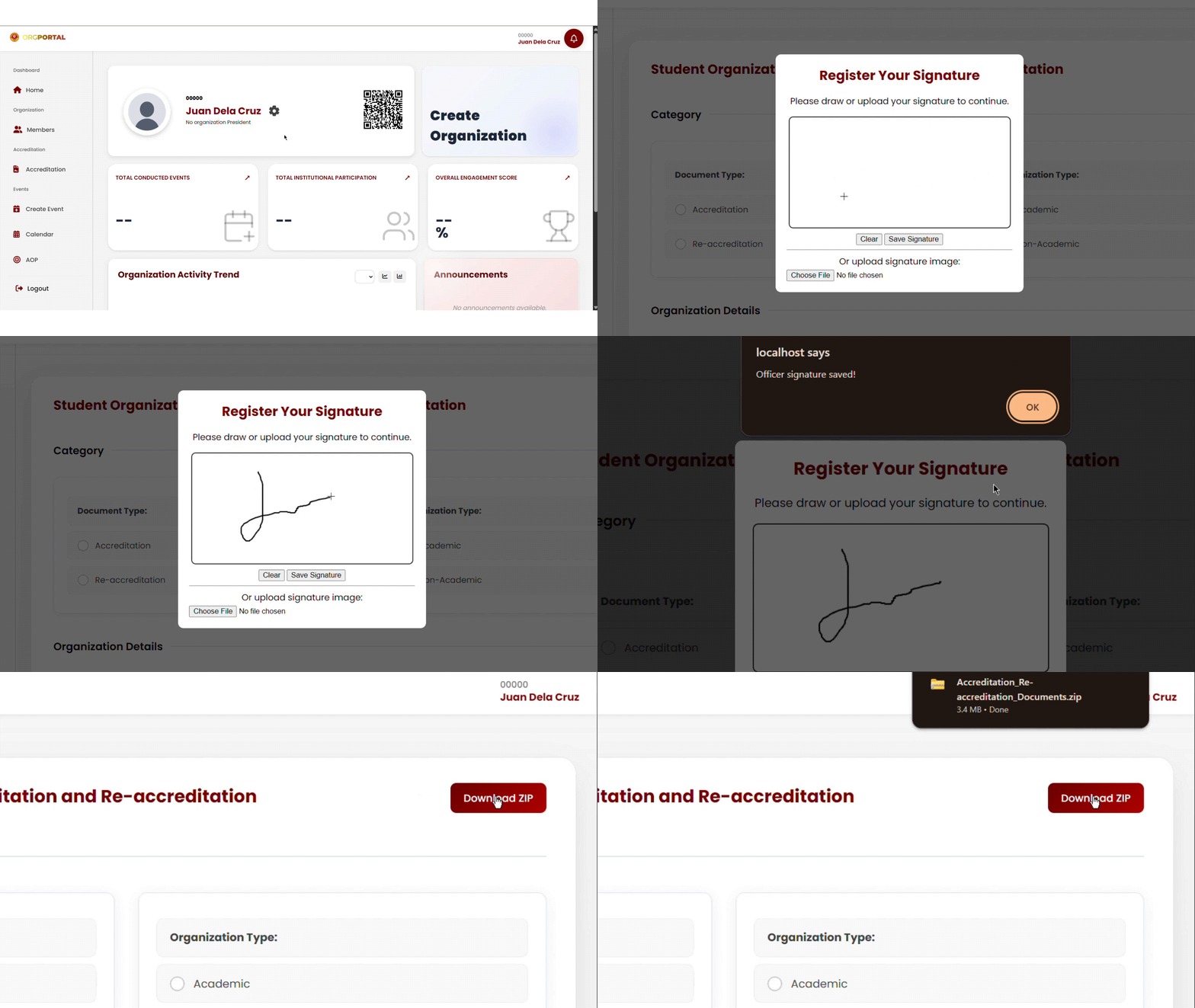
Register as an Organization Officer

Before creating an organization, you must first register as an Organization Officer. If you are the President of the organization, select the President position during registration. Make sure that all information entered is correct and complete, as this will be used for organization verification and management within the system.

hero

Step 2:

Create Your Organization

After completing your officer registration, navigate to the dashboard and click the “Create Organization” Card. To get the required registration files, simply click “Download Documents.” A ZIP file containing all the necessary documents for organization registration will automatically be downloaded to your device.

hero

Step 3:

Fill in the Organization Details

Enter all the required information about your organization, such as the organization name, description, course, and other necessary details. You must also select whether your organization is: Academic Organization – organizations related to academic programs, courses, or educational activities. Non-Academic Organization – organizations focused on extracurricular, social, cultural, sports, or non-academic activities. After completing the organization details, upload all the required registration documents

hero

Step 4:

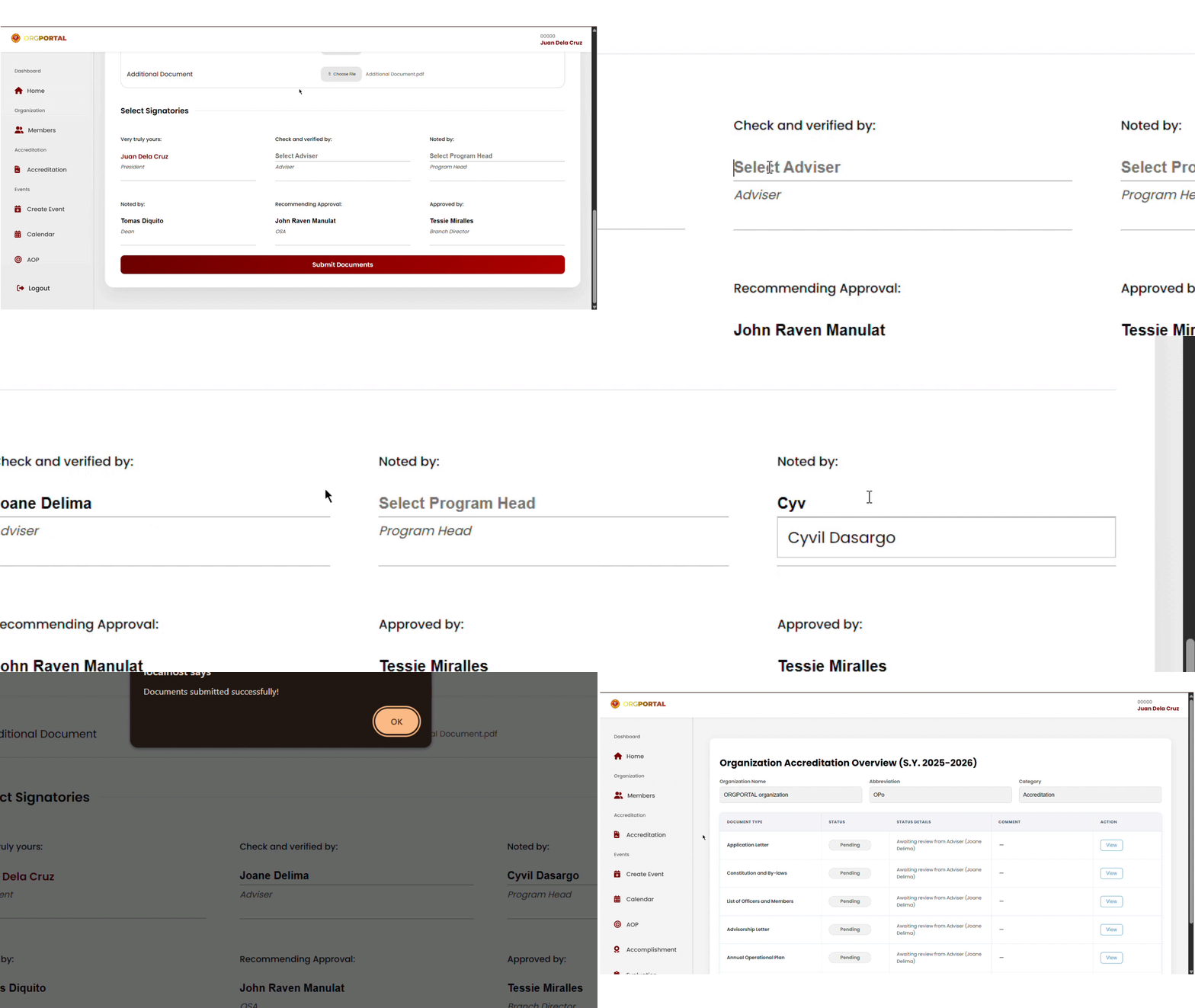
Select Signatories and Submit

Select the signatories who will review and approve your organization registration request. Make sure to choose the correct approvers before proceeding. After selecting the signatories, review all the entered information and uploaded documents. Once everything is complete, click the “Submit” button to officially send your organization registration request for approval.

hero